
01
Manage multiple channels from one screen
See which channels are connected, how many videos were sent, recent errors and what needs attention.
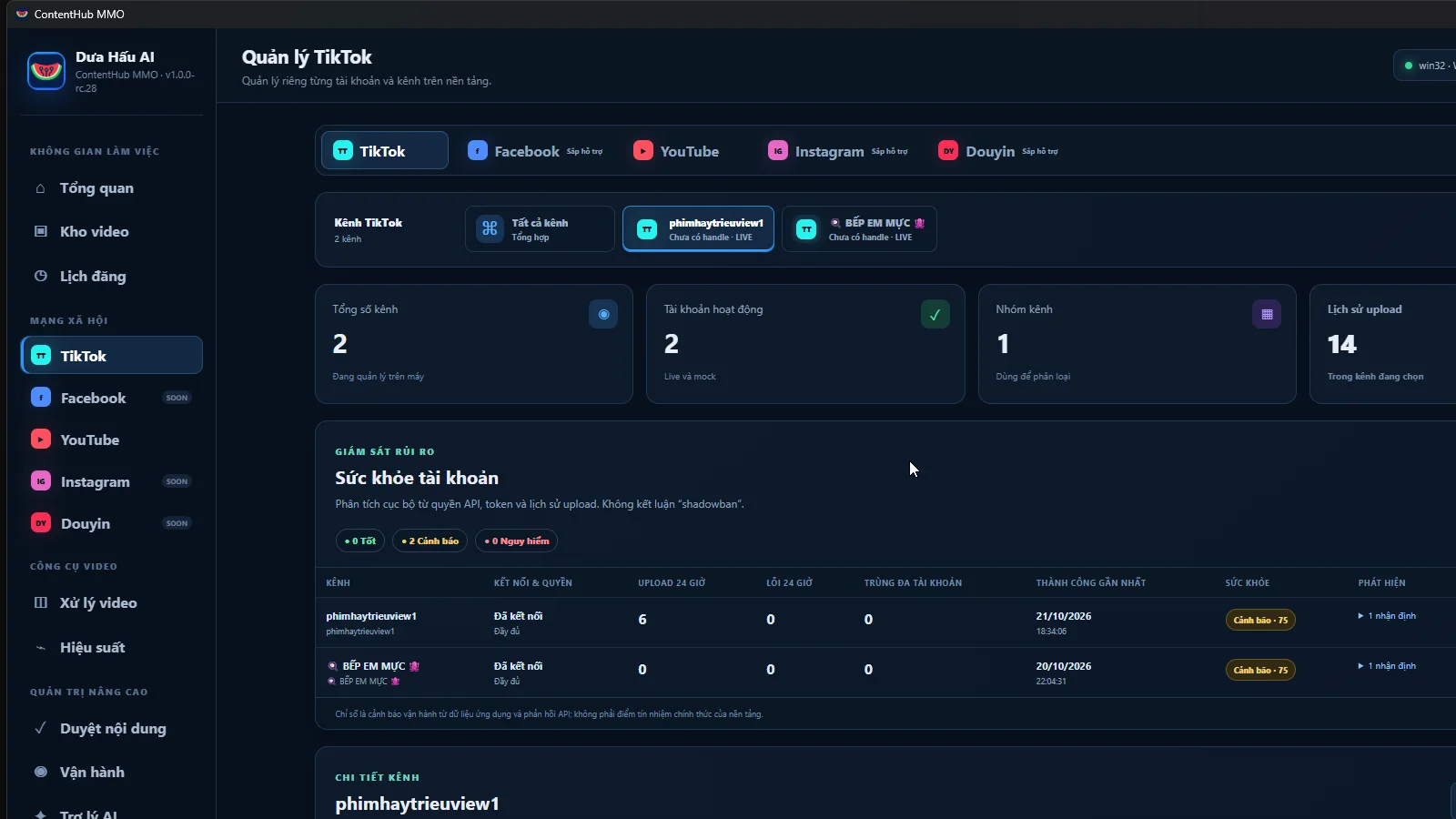
OmniVideo Publisher brings videos, accounts, posting history and results into one screen. You can see which video was sent to each channel and whether it needs attention.
The installer is not published openly. DuaHauAI verifies each request and delivers the appropriate build directly through Telegram.
Every screen below is captured from the application in real operation.
See which channels are connected, how many videos were sent, recent errors and what needs attention.
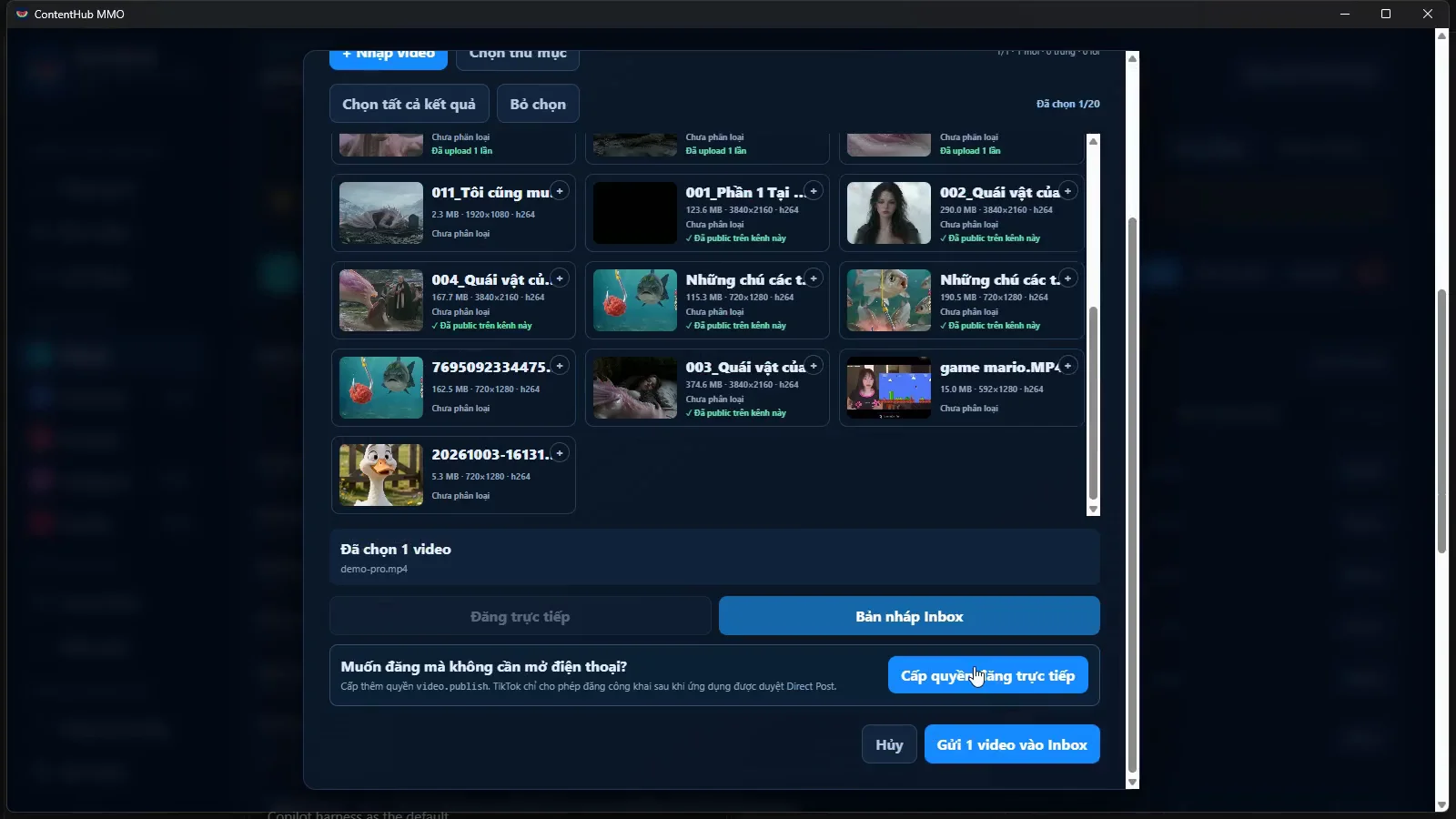
See a preview, file size and posting history. Publish one video directly to TikTok or send several videos to drafts for editing on your phone.
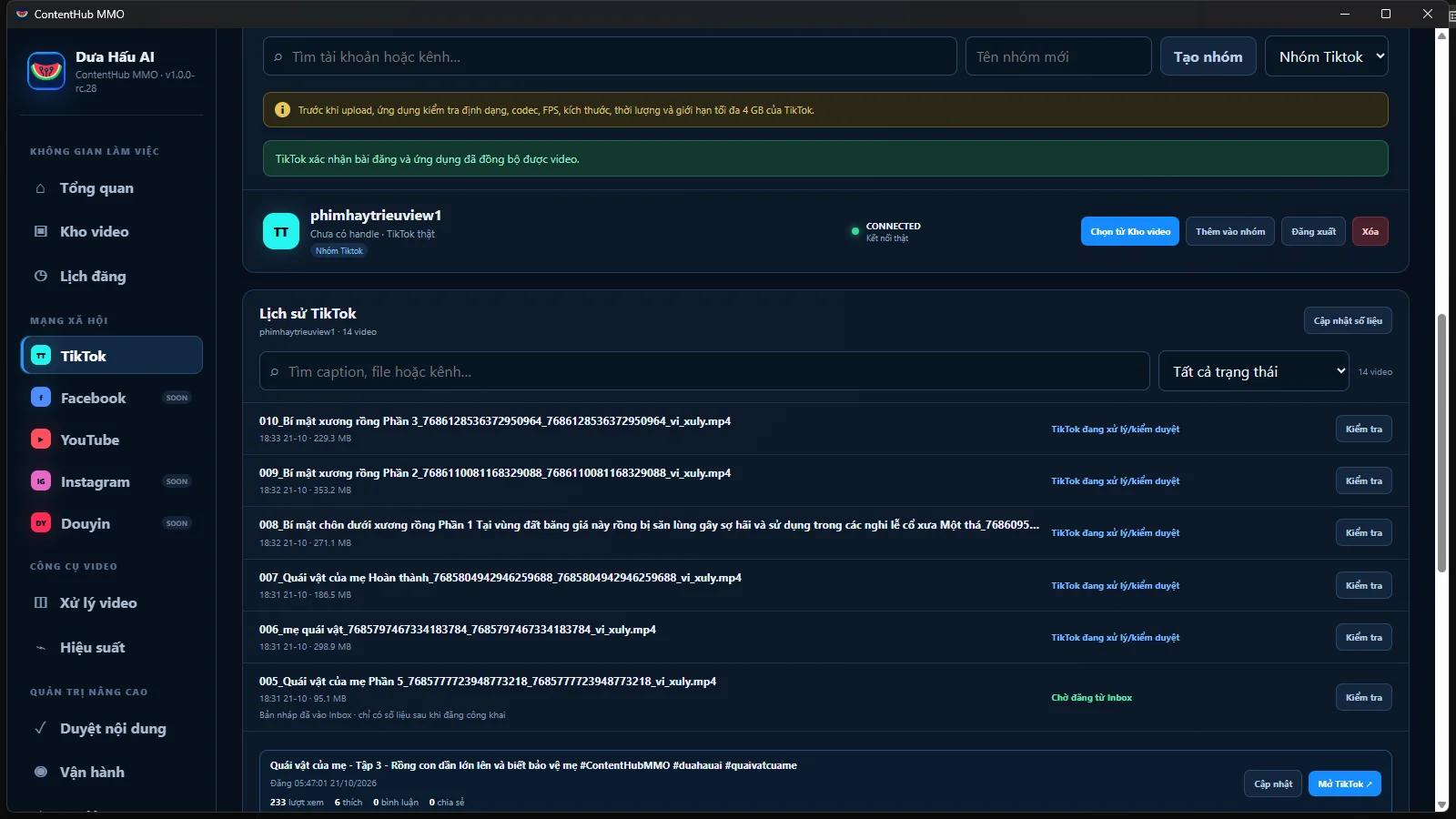
History shows whether a video is being sent, processed by TikTok or already public. Filters help you find items that need another check.
Check the destination account, video and settings before posting.
Keep a separate history for every posting attempt instead of relying on memory.
Keep useful file details, search quickly and post again when needed.
Available now: Manage channels, choose videos, post to TikTok and follow the result. The app clearly shows which platforms are available in your version.
The app sends a video only after you review it, choose the correct account and confirm the post.
Select and preview the file. The app does not add its own logo or promotional text.
Confirm the destination account, post text, visibility and interaction options provided by TikTok.
Confirm content and music rights, commercial content and AI-generated content when applicable.
The video starts sending only after you press “Post”. Progress and the final result remain visible.
Message the Telegram bot with your needs and number of channels. DuaHauAI will recommend a suitable build and deliver it directly.
OmniVideo Publisher (approved TikTok app name: ContentHub MMO) does not collect TikTok passwords or publish in the background. Every upload or post is explicitly confirmed by the user.
Requested scopes: user.info.basic, video.publish, video.upload and video.list.
Users can disconnect accounts in the app or revoke access from TikTok.